Continue a meeting held on battery
A held meeting is already saved. Recordstead can wait to transcribe, separate speakers or write a summary until your Mac has enough power. Recording, Call Detection and Live Transcript continue regardless of this rule; Live Transcript pauses only if your Mac gets critically hot.
What a held meeting looks like
Section titled “What a held meeting looks like”The meeting's own steps, its row in Meetings and the menu-bar panel show that it is waiting and why. There is no notification for an ongoing hold.
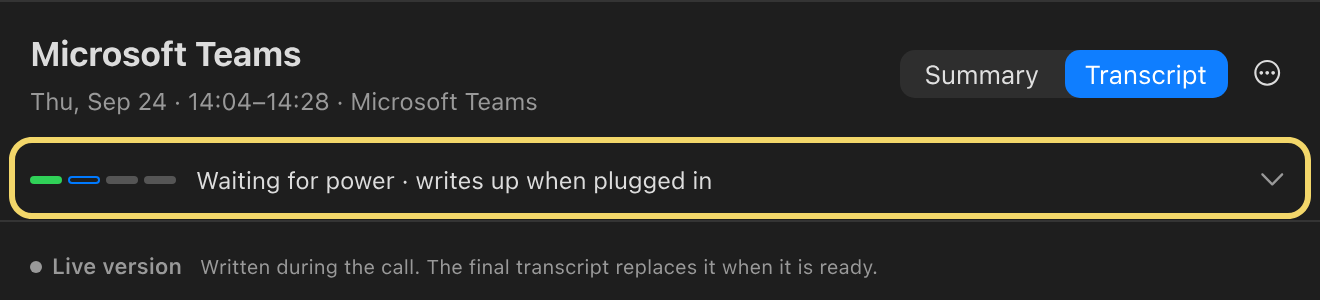
The five reasons work waits
Section titled “The five reasons work waits”| Reason | What releases it |
|---|---|
| Battery is below 20% under the default rule | Plug in or charge the Mac. |
| Mac is on battery under the strict rule | Plug in. |
| Low Power Mode is on | Turn it off, even if plugged in. |
| Mac is running hot | Let it cool. |
| Meetings are locked | Reopen Recordstead and unlock them. This hold cannot be overridden. |
Work resumes when the condition clears. A stage already running finishes before a new hold takes effect.
Choose what happens on battery
Section titled “Choose what happens on battery”Open Settings → General → On battery. Choose Write up right away, Wait if the battery is low (the default), or Wait for power. This group is absent on Macs without an internal battery. Heat and Low Power Mode can still hold work regardless of your battery choice.
Write up a held meeting now
Section titled “Write up a held meeting now”Click Write Up Now where the meeting's missing document would appear, or on the menu-bar panel's status card. The underlying rule does not change, so a later meeting may wait again. A meeting that has not been transcribed offers Transcribe instead; a locked library offers no override.
Your result: the selected meeting resumes processing without losing its recording or changing the battery rule.